
DefectDojo is an open-source application vulnerability management system designed to help security teams track, triage, and report security findings at scale.
Originally created by the US Department of Defense, DefectDojo has grown into a mature platform trusted by many organizations. It supports:
- Automated imports from tools like OWASP ZAP, Burp Suite, Nmap, and Nessus
- Integration with CI/CD pipelines
- Assigning and tracking remediation efforts
- Metrics and dashboards to monitor security posture
- Multi-user and team collaboration with role-based access control
In this guide, you’ll learn how to install DefectDojo using:
- Docker Compose (release mode)
- HAProxy to securely terminate SSL
- Let’s Encrypt with Cloudflare DNS for free HTTPS
- A systemd service to manage startup on Ubuntu 24.04
This production-ready setup ensures DefectDojo is secure, automated, and easy to maintain.
Prerequisites
- Ubuntu 24.04 server
- Docker & Docker Compose installed
- Install Docker on Ubuntu 24.04
- A domain name pointing to your server (e.g.
defectdojo.maksonlee.com) - Cloudflare API Token with DNS edit access
Install required packages:
sudo apt update
sudo apt install -y certbot python3-certbot-dns-cloudflare
sudo add-apt-repository ppa:vbernat/haproxy-3.2 -y
sudo apt-get install haproxy=3.2.\*
sudo systemctl enable --now haproxy- Install DefectDojo (Release Mode)
Clone and configure DefectDojo:
git clone https://github.com/DefectDojo/django-DefectDojo.git
sudo mv django-DefectDojo /opt/defectdojo
cd /opt/defectdojo

docker/setEnv.sh releaseRestrict DefectDojo’s Nginx to localhost only:
# /opt/defectdojo/docker-compose.override.yml
services:
  nginx:
    ports: !override
- "127.0.0.1:80:8080"Do not start DefectDojo manually. We’ll configure it to start via systemd later.
- Issue HTTPS Certificate via Cloudflare DNS
Create Cloudflare credentials:
mkdir -p ~/.secrets/certbot
vi ~/.secrets/certbot/cloudflare.iniAdd:
dns_cloudflare_api_token = YOUR_CLOUDFLARE_API_TOKENSecure the file:
chmod 600 ~/.secrets/certbot/cloudflare.iniRequest certificate:
sudo certbot certonly \
  --dns-cloudflare \
  --dns-cloudflare-credentials ~/.secrets/certbot/cloudflare.ini \
-d defectdojo.maksonlee.com- Bundle Certificate for HAProxy
sudo mkdir -p /etc/haproxy/certs/
sudo bash -c "cat /etc/letsencrypt/live/defectdojo.maksonlee.com/fullchain.pem \
  /etc/letsencrypt/live/defectdojo.maksonlee.com/privkey.pem \
  > /etc/haproxy/certs/defectdojo.maksonlee.com.pem"
sudo chmod 600 /etc/haproxy/certs/defectdojo.maksonlee.com.pem- Configure HAProxy for SSL Termination
Edit /etc/haproxy/haproxy.cfg:
frontend https_in
    bind *:443 ssl crt /etc/haproxy/certs/ alpn h2,http/1.1
    mode http
    default_backend defectdojo

backend defectdojo
    mode http
    option http-buffer-request
    option http-keep-alive
    option forwardfor
    http-request set-header X-Forwarded-Proto https

server defectdojo1 127.0.0.1:8080Restart HAProxy:
sudo systemctl restart haproxy- Automate Certificate Renewal
Create deploy hook to reload HAProxy on renewal:
sudo tee /etc/letsencrypt/renewal-hooks/deploy/reload-haproxy.sh > /dev/null <<EOF
#!/bin/bash
cat /etc/letsencrypt/live/defectdojo.maksonlee.com/fullchain.pem \
    /etc/letsencrypt/live/defectdojo.maksonlee.com/privkey.pem \
    > /etc/haproxy/certs/defectdojo.maksonlee.com.pem
systemctl reload haproxy
EOF

sudo chmod +x /etc/letsencrypt/renewal-hooks/deploy/reload-haproxy.shTest renewal:
sudo certbot renew --dry-run- Create a systemd Service for DefectDojo
Create the /etc/systemd/system/defectdojo.service service file:
[Unit]
Description=DefectDojo
After=network-online.target docker.service
Requires=docker.service

[Service]
Type=oneshot
RemainAfterExit=yes
WorkingDirectory=/opt/django-DefectDojo
ExecStart=/usr/bin/docker compose up -d
ExecStop=/usr/bin/docker compose down
TimeoutStartSec=0

[Install]
WantedBy=multi-user.targetEnable and start it:
sudo systemctl daemon-reexec
sudo systemctl daemon-reload
sudo systemctl enable --now defectdojo- Retrieve Auto-Generated Admin Password
After the first run, retrieve the admin password:
docker compose logs initializer | grep "Admin password:"Sample output:
initializer-1 | Admin password: hNBbmXkReXnDNMk2qm12gwDefault username:
admin
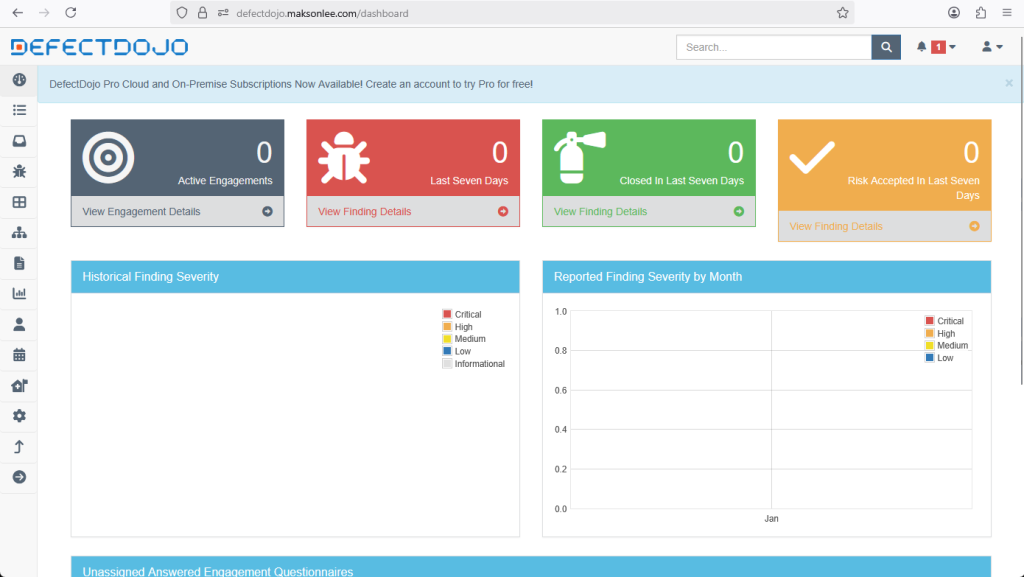
- Access DefectDojo
Open:
https://defectdojo.maksonlee.com
Login with the username admin and the password retrieved in Step 7. You’ll be prompted to change it on first login.
Did this guide save you time?
Support this site