
Category
Networking & Connectivity
1. System Requirements:
OPNsense 25.1.3 is based on FreeBSD 14.2, but follow the build host version recommended by opnsense/tools for your chosen tag.
2. Install Required Dependencies:
pkg install -y git3. Grab the repositories:
Do this on a dedicated build VM:
cd /usr
git clone https://github.com/opnsense/tools
cd tools
make update VERSION=25.1.3or use ROOTDIR to keep everything out of /usr:
mkdir -p /tmp/opnsense
cd /tmp/opnsense
git clone https://github.com/opnsense/tools
cd tools
env ROOTDIR=/tmp/opnsense make update VERSION=25.1.34. Build:
Note: Building the Nano image from source can take hours (especially the first run), depending on CPU, disk speed, and network bandwidth. Run this on a dedicated build VM/server.
make nano VERSION=25.1.3or with ROOTDIR:
env ROOTDIR=/tmp/opnsense make nano VERSION=25.1.3If you get an error like this:
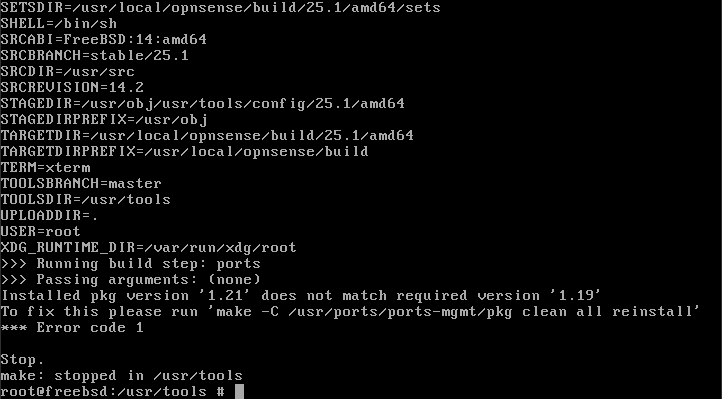
Just run the command it prompted, and build again, if successful, a nano image can be found under:
make print-IMAGESDIRIMAGESDIR="/usr/local/opnsense/build/25.1/amd64/images"