
Category
Identity, Security & PKI
This guide shows how to move an SSH private key from Jenkins-managed credentials into HashiCorp Vault and pull it into pipelines using AppRole authentication.
Why do this?
- Centralized secrets (one source of truth)
- Audit trails for every read
- Easy rotation & revocation
- Real-time updates across jobs and tools
Note: Vault doesn’t automatically secure your pipelines. Security still depends on how you scope access in Jenkins and in Vault policies.
Prerequisites
- A working Vault OSS server
- Jenkins with the HashiCorp Vault Plugin
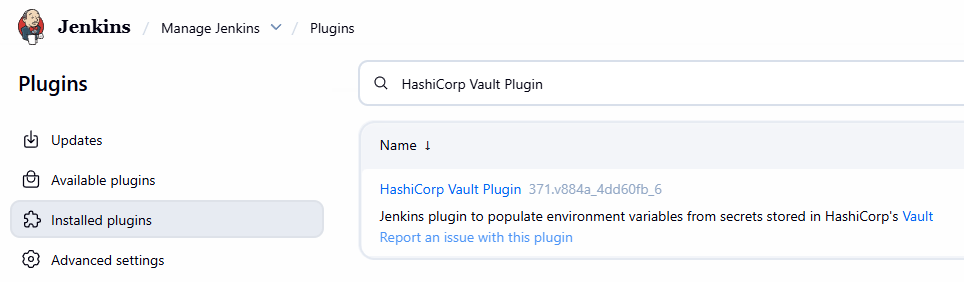
- A Jenkins account that can manage credentials and pipelines
1. Store the SSH Key in Vault (KV v2)
Enable KV v2 (if not already):
vault secrets enable -path=secret kv-v2Write the private key:
vault kv put secret/jenkins/gerrit/maksonlee ssh_key=- <<EOF
-----BEGIN OPENSSH PRIVATE KEY-----
<your-key>
-----END OPENSSH PRIVATE KEY-----
EOF2. Create a Vault Policy and AppRole
- Create a policy
Save to jenkins-policy.hcl:
path "secret/data/jenkins/*" {
  capabilities = ["read"]
}Apply it:
vault policy write jenkins-policy jenkins-policy.hcl- Create an AppRole
vault auth enable approle

vault write auth/approle/role/jenkins-role \
  token_policies="jenkins-policy" \
  token_ttl=1h \
token_max_ttl=4h- Get Role ID and Secret ID
vault read auth/approle/role/jenkins-role/role-id
vault write -f auth/approle/role/jenkins-role/secret-id3. Configure Vault in Jenkins
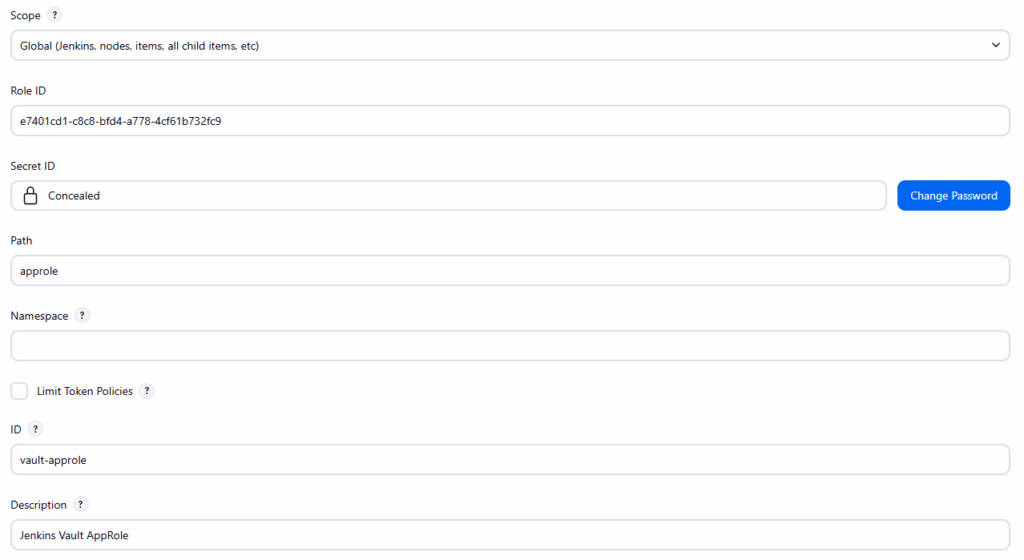
- Add Vault App Role Credential
Manage Jenkins → Credentials → (Global) → Add Credentials
| Field | Value |
|---|---|
| Kind | Vault App Role Credential |
| Scope | Global |
| Role ID | From Vault CLI |
| Secret ID | From Vault CLI |
| Path | approle |
| ID | vault-approle |
| Description | Jenkins Vault AppRole |
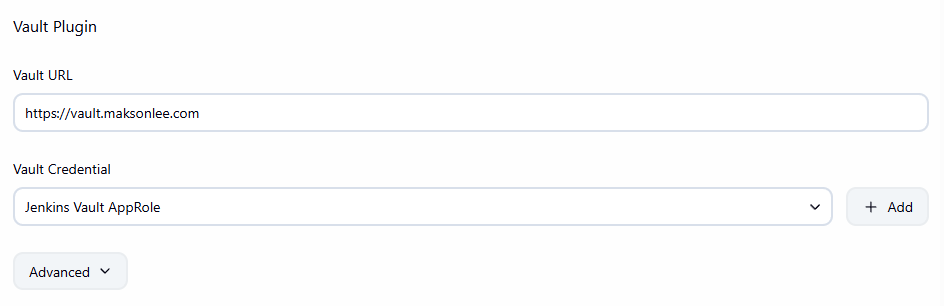
- Global Plugin Config
Manage Jenkins → System → Vault Plugin- Vault URL:
https://vault.maksonlee.com - Vault Credential:
Jenkins Vault AppRole
- Vault URL:
4. Use the Secret in Your Pipeline
Example (Scripted or inside a Declarative script {} block):
withVault([
  vaultSecrets: [[
    path: 'secret/jenkins/gerrit/maksonlee',
    engineVersion: 2,
    secretValues: [[envVar: 'GERRIT_SSH_KEY', vaultKey: 'ssh_key']]
  ]]
]) {
  sh '''
    mkdir -p ~/.ssh
    chmod 700 ~/.ssh
    echo "$GERRIT_SSH_KEY" > ~/.ssh/id_rsa
    chmod 600 ~/.ssh/id_rsa
    ssh-keyscan -p 29418 -H gerrit.maksonlee.com >> ~/.ssh/known_hosts
  '''

  sh """
    repo init -u ${manifestUrl} -b ${branch}
    repo sync -c -j1
    source build/envsetup.sh
    lunch ${lunchTarget}
    m
  """
}Security Comparison
| Capability | Jenkins Credential | Vault AppRole Credential |
|---|---|---|
| Folder/job isolation | ✅ Yes | ✅ Yes (via folder credential) |
| Revocation | ❌ Manual | ✅ Vault CLI/API |
| Rotation | ❌ Manual | ✅ Reissue Secret ID |
| Audit logging | ❌ No | ✅ Vault logs reads |
| Tool reuse | ❌ Jenkins only | ✅ Works with other systems |
Bottom line: Folder-scoped credentials keep isolation strong in both systems. Vault adds unified audit logs, rotation, and centralized control without duplicating secrets across tools.