

Taiwan Driving Assistant shows the speed limit of the road you’re on and gives voice alerts before published speed enforcement camera locations in Taiwan. It runs alongside your navigation app and uses offline data.
Screenshots
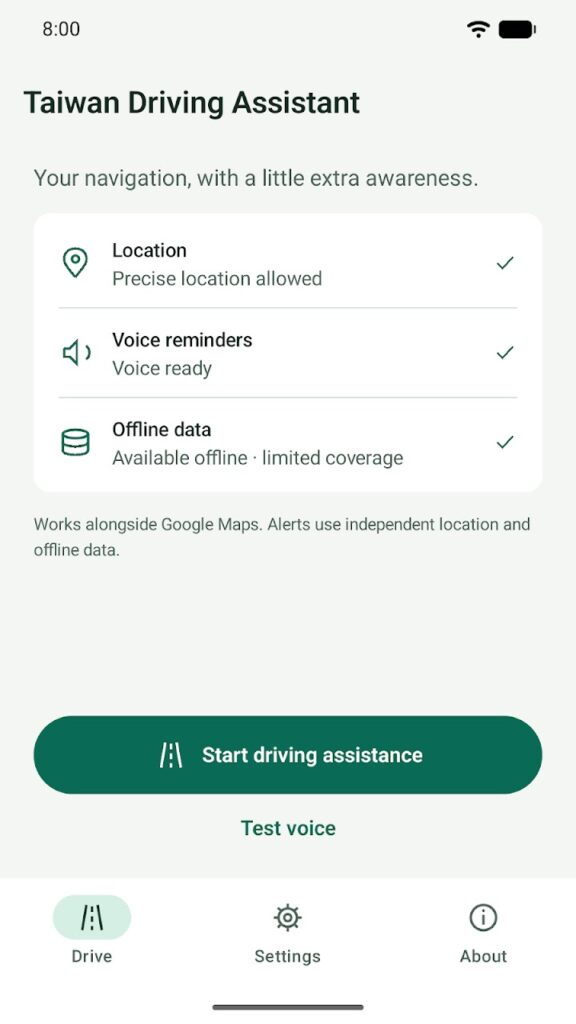
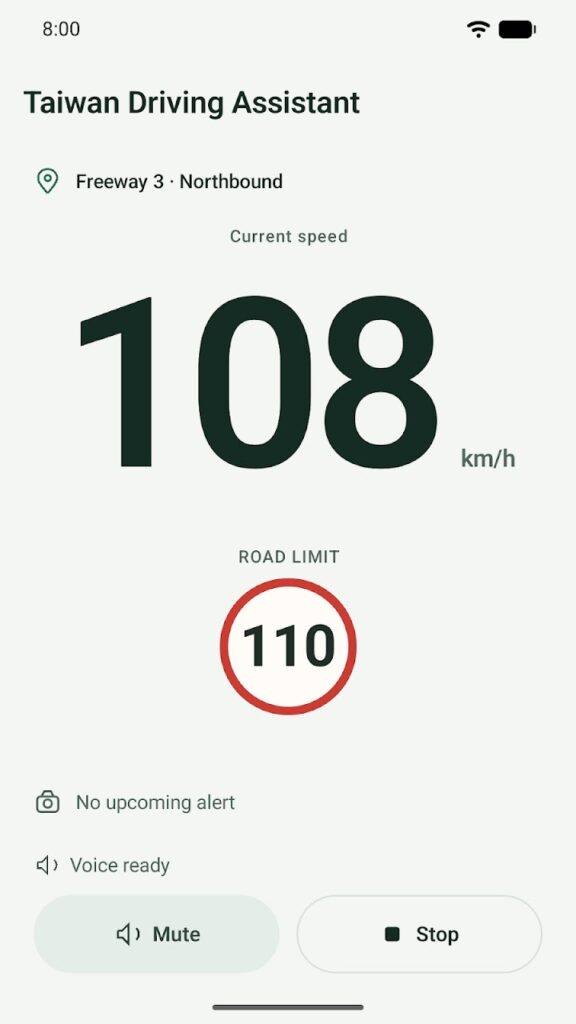
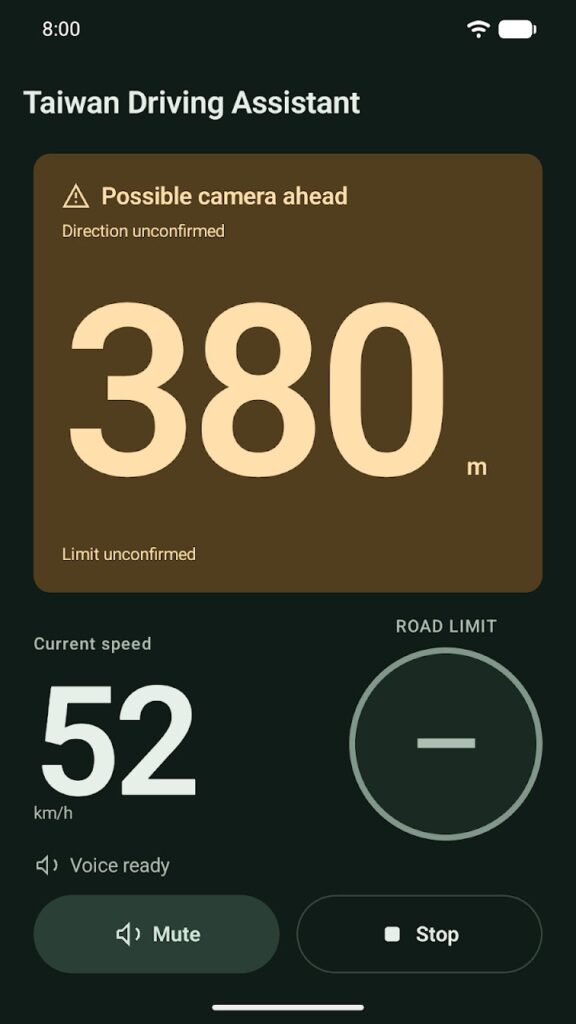
Features
- Shows your current speed and the current road’s limit where the data supports one. Roads without a supported limit stay marked as unknown instead of guessed.
- Voice alerts ahead of published camera locations that apply to your direction of travel, in Taiwan Mandarin or English, using your phone’s offline voice.
- Keeps working without a network connection once the offline data is installed.
- You start and stop monitoring yourself. It runs as a visible foreground service and doesn’t request background location access.
- Signed offline data updates, verified before use.
Requirements
- Android 9 or later, with GPS
- About 185 MB of storage for the offline road and camera data. The download starts automatically on Wi-Fi; on mobile data, you approve the size first.
Permissions
These are the permissions in the current Google Play release (version 0.6.8) and what the app uses them for:
- Precise location (while in use): match your position to the offline road data while driving assistance is running.
- Foreground service: keep the session you started, and its spoken alerts, running and visible.
- Notifications: show the session controls and the data download progress.
- Network access: download offline data updates and send drive recordings you confirm.
- Background data download: finish the offline data download, including after a restart.
- Google Play license check: added by Google Play to the installed app.
Privacy
Your location is processed only on your phone. There’s no account, no ads, and no automatic location upload, and driving history isn’t stored by default. An optional development drive recording leaves the phone only when you confirm an upload.
Read the full Taiwan Driving Assistant Privacy Policy.
Known limitations
- Set up the app while parked and keep your attention on the road.
- Alerts are supplementary and may be incomplete or inaccurate. Some roads, ramps, and directions have no supported limit.
- The speed shown comes from your phone’s satellite positioning and may differ from your speedometer.
- Camera locations are published warning points; they don’t confirm that equipment is present or operating.
- Always follow road signs and traffic laws. The app is independent and isn’t affiliated with or endorsed by any government agency.
Data sources
Built from public data published by Taiwan’s National Police Agency and the Freeway Bureau, MOTC, and from OpenStreetMap (© OpenStreetMap contributors, ODbL).
What’s new in version 0.6.8
More accurate camera alerts: no alert for an opposite-direction camera just past a junction, alerts at the usual distance on numbered two-way roads, and a repeat alert when you pass a camera again on the same drive. In tunnels with poor reception, the road, the tunnel notice and a tunnel-wide limit stay on screen. Current limits are shown in more places and more carefully. If alerts stop unexpectedly, the app says so aloud. The Ready screen shows the first data download and checks the voice.
Support
Email maksonlee@maksonlee.com with the app version, your phone model and Android version, and what happened. For privacy questions, see the Taiwan Driving Assistant Privacy Policy.