
This guide installs EJBCA Community Edition (example: r9.3.7) on Ubuntu 24.04, using WildFly as the application server and MariaDB as the database.
Version note: Keyfactor’s docs provide application-server-specific instructions (WildFly 35 / 38, etc.). Use a supported pair when troubleshooting.
EJBCA vs Step CA
Certificate lifetime (short vs long)
- Step CA is often used for short-lived certificates (hours → days, sometimes weeks) because it’s automation-first (ACME) and frequent renewal/rotation is easy.
- EJBCA is often used for longer-lived certificates (months → years) when renewal is harder (e.g., IoT devices) and you want stronger policy governance—though it can also issue short-lived certs.
Audit & traceability (who issued what, when, and why)
- EJBCA (strong governance): built around PKI operations with roles, profiles, and admin workflows. It’s typically the better fit when you care about “enterprise PKI style” accountability: controlled issuance paths, clear separation of duties, and easier long-term tracking of issuance/revocation activity from the CA side.
- Step CA (automation visibility): provides operational logging and is excellent for automated issuance flows, but it’s generally positioned more as an automation CA than a full PKI governance platform.
Practical guideline
- Short-lived + highly automated internal TLS → Step CA
- Long-lived (IoT) + policy/audit-driven PKI → EJBCA
Conventions
- WildFly home:
/opt/wildfly - EJBCA home:
/opt/ejbca/ejbca-ce - OS service user:
wildfly - MariaDB: local on
127.0.0.1:3306 - Example hostname:
ejbca.example.com(replace)
1. Install packages
sudo apt update
sudo apt install -y \
  unzip curl wget openssl ant \
  openjdk-21-jdk-headless \
mariadb-serverVerify:
java -version
mariadb --version
ant -version2. MariaDB: required settings + DB/user
- Set binlog_format=row (required)
EJBCA requires row-based binlogging (binlog_format=row).
sudo tee /etc/mysql/mariadb.conf.d/99-ejbca.cnf >/dev/null <<'EOF'
[mysqld]
log_bin=ON
binlog_format=ROW
EOF

sudo systemctl restart mariadb
sudo mariadb -e "SHOW VARIABLES LIKE 'log_bin';"
sudo mariadb -e "SHOW VARIABLES LIKE 'binlog_format';"- Create DB + user
Keyfactor’s DB creation example uses utf8mb4 (and notes fallback to utf8 if key-length issues occur).
DB_NAME="ejbca"
DB_USER="ejbca"
DB_PASS="CHANGE_ME_DB_PASSWORD"

sudo mariadb <<SQL
CREATE DATABASE IF NOT EXISTS \`${DB_NAME}\`
  CHARACTER SET utf8mb4 COLLATE utf8mb4_unicode_ci;

CREATE USER IF NOT EXISTS '${DB_USER}'@'localhost'
  IDENTIFIED BY '${DB_PASS}';

GRANT ALL PRIVILEGES ON \`${DB_NAME}\`.* TO '${DB_USER}'@'localhost';

FLUSH PRIVILEGES;
SQL3. Install WildFly + create wildfly user
- Download + extract WildFly (example: 35.x)
cd /tmp
wget -O wildfly.zip \
  https://github.com/wildfly/wildfly/releases/download/35.0.1.Final/wildfly-35.0.1.Final.zip

sudo unzip -q wildfly.zip -d /opt/
sudo ln -snf /opt/wildfly-35.0.1.Final /opt/wildfly- Create the service account and own WildFly
if ! id -u wildfly >/dev/null 2>&1; then
  sudo useradd --system --home /opt/wildfly --shell /usr/sbin/nologin wildfly
fi

sudo chown -R wildfly:wildfly /opt/wildfly-35.0.1.Final4. Systemd service for WildFly
sudo tee /etc/systemd/system/wildfly.service >/dev/null <<'EOF'
[Unit]
Description=WildFly Application Server
After=network.target mariadb.service

[Service]
Type=simple
User=wildfly
Group=wildfly
Environment="JBOSS_HOME=/opt/wildfly"
Environment="JAVA_HOME=/usr/lib/jvm/java-21-openjdk-amd64"
WorkingDirectory=/opt/wildfly
ExecStart=/opt/wildfly/bin/standalone.sh -c standalone.xml -b 0.0.0.0 -bmanagement 127.0.0.1
ExecStop=/opt/wildfly/bin/jboss-cli.sh --connect command=:shutdown
Restart=on-failure
RestartSec=5
LimitNOFILE=102642
TimeoutStartSec=300
TimeoutStopSec=300

[Install]
WantedBy=multi-user.target
EOF

sudo systemctl daemon-reload
sudo systemctl enable --now wildfly
sudo systemctl status wildfly --no-pager -l5. WildFly prerequisites for EJBCA build/CLI (client jar)
Keyfactor’s WildFly instructions include ensuring the WildFly client jar exists at bin/client/jboss-client.jar (used by EJBCA build/CLI tooling).
sudo install -d -o wildfly -g wildfly /opt/wildfly/bin/client

cd /tmp
# Example: download wildfly-client-all that matches your WildFly version (adjust if needed)
wget -O wildfly-client-all.jar \
  https://repo1.maven.org/maven2/org/wildfly/wildfly-client-all/35.0.1.Final/wildfly-client-all-35.0.1.Final.jar

sudo install -o wildfly -g wildfly -m 0644 wildfly-client-all.jar \
/opt/wildfly/bin/client/jboss-client.jar6. WildFly: MariaDB JDBC driver + Credential Store + Datasource + Remoting (4447)
- Deploy MariaDB JDBC driver
cd /tmp
wget -O mariadb-java-client.jar \
  https://repo1.maven.org/maven2/org/mariadb/jdbc/mariadb-java-client/3.5.7/mariadb-java-client-3.5.7.jar

sudo install -o wildfly -g wildfly -m 0644 mariadb-java-client.jar \
/opt/wildfly/standalone/deployments/mariadb-java-client.jarWait until it’s deployed:
ls -l /opt/wildfly/standalone/deployments/ | grep mariadb- Create Elytron credential store (IMPORTANT: create=true)
Your earlier error ELY09518: Automatic storage creation … disabled is fixed by enabling creation.
STORE_PASS="CHANGE_ME_STORE_PASSWORD"
DB_PASS="CHANGE_ME_DB_PASSWORD"

sudo -u wildfly /opt/wildfly/bin/jboss-cli.sh --connect <<EOF
/subsystem=elytron/credential-store=ejbcaCS:add(credential-reference={clear-text="${STORE_PASS}"}, path=ejbcaCS.cs, relative-to=jboss.server.config.dir, create=true)
/subsystem=elytron/credential-store=ejbcaCS:add-alias(alias=dbPassword, secret-value="${DB_PASS}")
EOF- Create datasource (JNDI name must match EJBCA config)
sudo -u wildfly /opt/wildfly/bin/jboss-cli.sh --connect <<'EOF'
data-source add \
  --name=EjbcaDS \
  --jndi-name=java:/EjbcaDS \
  --driver-name=mariadb-java-client.jar \
  --driver-class=org.mariadb.jdbc.Driver \
  --connection-url=jdbc:mariadb://localhost:3306/ejbca \
  --user-name=ejbca \
  --credential-reference={store=ejbcaCS, alias=dbPassword}
EOFTest it:
sudo -u wildfly /opt/wildfly/bin/jboss-cli.sh --connect \
"/subsystem=datasources/data-source=EjbcaDS:test-connection-in-pool"- Enable remoting for EJBCA CLI (port 4447)
sudo -u wildfly /opt/wildfly/bin/jboss-cli.sh --connect <<'EOF'
/subsystem=remoting/http-connector=http-remoting-connector:write-attribute(name=connector-ref,value=remoting)
/socket-binding-group=standard-sockets/socket-binding=remoting:add(port=4447,interface=management)
/subsystem=undertow/server=default-server/http-listener=remoting:add(socket-binding=remoting,enable-http2=true)
reload
EOFVerify listeners:
sudo ss -lntp | grep -E ':8080|:9990|:4447'With -bmanagement 127.0.0.1, the 4447 binding is local-only, which is ideal if you run ant runinstall on the same host (recommended).
7. Prepare /opt/ejbca and permissions
sudo install -d -m 0755 -o wildfly -g wildfly /opt/ejbca
sudo usermod -aG wildfly administrator8. Download EJBCA CE (example: r9.3.7)
EJBCA_TAG="r9.3.7"

sudo -u wildfly bash -lc "
cd /opt/ejbca &&
wget -O ejbca-ce-${EJBCA_TAG}.tar.gz \
  https://github.com/Keyfactor/ejbca-ce/archive/refs/tags/${EJBCA_TAG}.tar.gz &&
tar -xzf ejbca-ce-${EJBCA_TAG}.tar.gz &&
ln -snf /opt/ejbca/ejbca-ce-${EJBCA_TAG} /opt/ejbca/ejbca-ce
"9. Configure EJBCA
conf/ejbca.properties
sudo -u wildfly bash -lc '
cd /opt/ejbca/ejbca-ce/conf &&
[ -f ejbca.properties ] || cp ejbca.properties.sample ejbca.properties
vi ejbca.properties
'Set:
appserver.home=/opt/wildflyconf/web.properties
sudo -u wildfly bash -lc '
cd /opt/ejbca/ejbca-ce/conf
cp -n web.properties.sample web.properties
vi web.properties
'Set:
httpsserver.hostname=ejbca.maksonlee.comconf/database.properties
sudo -u wildfly bash -lc '
cd /opt/ejbca/ejbca-ce/conf
cp -n database.properties.sample database.properties
vi database.properties
'Set minimum:
database.name=mysql
datasource.jndi-name=EjbcaDS10. Build + deploy EJBCA
sudo -u wildfly bash -lc "
cd /opt/ejbca/ejbca-ce &&
ant clean &&
ant deployear
"Verify:
ls -l /opt/wildfly/standalone/deployments/ejbca.ear*
sudo tail -n 200 /opt/wildfly/standalone/log/server.log11. First-time install (ant runinstall) as wildfly
This is the one-time bootstrap that creates the initial Management CA, generates the initial SuperAdmin client certificate, and creates the initial TLS keystore/truststore under <EJBCA_HOME>/p12 (later deployed to WildFly via ant deploy-keystore).
sudo -u wildfly bash -lc "
cd /opt/ejbca/ejbca-ce &&
ant runinstall
"Example interactive inputs (reference only):
Please enter the CA name (default: ManagementCA) ? [ManagementCA]
ManagementCA

Please enter the CA dn (default: CN=ManagementCA,O=EJBCA Sample,C=SE) ? [CN=ManagementCA,O=EJBCA Sample,C=SE]
CN=ManagementCA,O=maksonlee.com,C=TW

Please enter the CA key type (default: RSA) ? [RSA]
RSA

Please enter the CA key spec (default: 2048) ? [2048]
4096

Please enter the CA signature algorithm (default: SHA256WithRSA) ? [SHA256WithRSA]
SHA256WithRSA

Please enter the CA validity in days (default: 3650) ? [3650]
3650

Enter password CA token password:  [null]
<SET_A_STRONG_PASSWORD_AND_STORE_IT>Notes on the prompts
- CA DN: do not blindly copy
O=/C=. Use values that match your PKI naming. - Key spec:
4096is fine (slower),2048is common for labs. - CA token password: important. Keep it somewhere secure. It protects the CA’s crypto token and may be needed for operations involving the CA key material.
12. WildFly HTTP(S): official 3-port separation (8080 + 8442 + 8443)
Keyfactor’s WildFly layout for EJBCA uses 3-port separation:
- 8080 (HTTP): unencrypted, typically redirects to the private HTTPS port
- 8442 (HTTPS public): server-auth only (browser-friendly, no client cert prompt)
- 8443 (HTTPS private): mutual TLS (server + client cert required)
Remove the existing default HTTP/HTTPS listeners
sudo -u wildfly /opt/wildfly/bin/jboss-cli.sh --connect '/subsystem=undertow/server=default-server/http-listener=default:remove()'
sudo -u wildfly /opt/wildfly/bin/jboss-cli.sh --connect '/socket-binding-group=standard-sockets/socket-binding=http:remove()'
sudo -u wildfly /opt/wildfly/bin/jboss-cli.sh --connect '/subsystem=undertow/server=default-server/https-listener=https:remove()'
sudo -u wildfly /opt/wildfly/bin/jboss-cli.sh --connect '/socket-binding-group=standard-sockets/socket-binding=https:remove()'
sudo -u wildfly /opt/wildfly/bin/jboss-cli.sh --connect ':reload'Wait for reload to finish before continuing (check server log or :read-attribute(name=server-state)).
Add new interfaces + socket bindings
sudo -u wildfly /opt/wildfly/bin/jboss-cli.sh --connect '/interface=http:add(inet-address="0.0.0.0")'
sudo -u wildfly /opt/wildfly/bin/jboss-cli.sh --connect '/interface=httpspub:add(inet-address="0.0.0.0")'
sudo -u wildfly /opt/wildfly/bin/jboss-cli.sh --connect '/interface=httpspriv:add(inet-address="0.0.0.0")'

sudo -u wildfly /opt/wildfly/bin/jboss-cli.sh --connect '/socket-binding-group=standard-sockets/socket-binding=http:add(port="8080",interface="http")'
sudo -u wildfly /opt/wildfly/bin/jboss-cli.sh --connect '/socket-binding-group=standard-sockets/socket-binding=httpspub:add(port="8442",interface="httpspub")'
sudo -u wildfly /opt/wildfly/bin/jboss-cli.sh --connect '/socket-binding-group=standard-sockets/socket-binding=httpspriv:add(port="8443",interface="httpspriv")'Production note: bind these to a specific interface/IP (instead of 0.0.0.0) if you want to restrict exposure.
Create the Elytron credential store used by the official TLS configuration
Create the master-password script and the default credential store (as per Keyfactor docs):
sudo bash -lc '
echo "#!/bin/sh" > /usr/bin/wildfly_pass
echo "echo '\''$(openssl rand -base64 24)'\''" >> /usr/bin/wildfly_pass
chown wildfly:wildfly /usr/bin/wildfly_pass
chmod 700 /usr/bin/wildfly_pass
'

sudo -u wildfly bash -lc '
mkdir -p /opt/wildfly/standalone/configuration/keystore
chown wildfly:wildfly /opt/wildfly/standalone/configuration/keystore
/opt/wildfly/bin/jboss-cli.sh --connect "/subsystem=elytron/credential-store=defaultCS:add(path=keystore/credentials, relative-to=jboss.server.config.dir, credential-reference={clear-text=\"{EXT}/usr/bin/wildfly_pass\", type=\"COMMAND\"}, create=true)"
'This guide already uses a separate store (ejbcaCS) for the DB password in Step 6. That can remain unchanged.
Ensure EJBCA’s keystore files exist in WildFly
With the official WildFly layout, TLS points to:
/opt/wildfly/standalone/configuration/keystore/keystore.p12/opt/wildfly/standalone/configuration/keystore/truststore.p12
If they’re missing (or TLS fails after the next step), deploy them:
sudo -u wildfly bash -lc '
cd /opt/ejbca/ejbca-ce &&
ant deploy-keystore
'
sudo systemctl restart wildflyConfigure TLS (Elytron) for httpspub + httpspriv
sudo -u wildfly /opt/wildfly/bin/jboss-cli.sh --connect '/subsystem=elytron/credential-store=defaultCS:add-alias(alias=httpsKeystorePassword, secret-value="serverpwd")'
sudo -u wildfly /opt/wildfly/bin/jboss-cli.sh --connect '/subsystem=elytron/credential-store=defaultCS:add-alias(alias=httpsTruststorePassword, secret-value="changeit")'

sudo -u wildfly /opt/wildfly/bin/jboss-cli.sh --connect '/subsystem=elytron/key-store=httpsKS:add(path="keystore/keystore.p12",relative-to=jboss.server.config.dir,credential-reference={store=defaultCS, alias=httpsKeystorePassword},type=PKCS12)'
sudo -u wildfly /opt/wildfly/bin/jboss-cli.sh --connect '/subsystem=elytron/key-store=httpsTS:add(path="keystore/truststore.p12",relative-to=jboss.server.config.dir,credential-reference={store=defaultCS, alias=httpsTruststorePassword},type=PKCS12)'

sudo -u wildfly /opt/wildfly/bin/jboss-cli.sh --connect '/subsystem=elytron/key-manager=httpsKM:add(key-store=httpsKS,algorithm="SunX509",credential-reference={store=defaultCS, alias=httpsKeystorePassword})'
sudo -u wildfly /opt/wildfly/bin/jboss-cli.sh --connect '/subsystem=elytron/trust-manager=httpsTM:add(key-store=httpsTS)'

sudo -u wildfly /opt/wildfly/bin/jboss-cli.sh --connect '/subsystem=elytron/server-ssl-context=httpspub:add(key-manager=httpsKM,protocols=["TLSv1.3","TLSv1.2"],use-cipher-suites-order=false,cipher-suite-filter="TLS_DHE_RSA_WITH_AES_128_GCM_SHA256,TLS_ECDHE_RSA_WITH_AES_128_GCM_SHA256,TLS_ECDHE_ECDSA_WITH_AES_128_GCM_SHA256,TLS_ECDHE_RSA_WITH_CHACHA20_POLY1305_SHA256,TLS_ECDHE_ECDSA_WITH_CHACHA20_POLY1305_SHA256",cipher-suite-names="TLS_AES_256_GCM_SHA384:TLS_AES_128_GCM_SHA256:TLS_CHACHA20_POLY1305_SHA256")'

sudo -u wildfly /opt/wildfly/bin/jboss-cli.sh --connect '/subsystem=elytron/server-ssl-context=httpspriv:add(key-manager=httpsKM,protocols=["TLSv1.3","TLSv1.2"],use-cipher-suites-order=false,cipher-suite-filter="TLS_DHE_RSA_WITH_AES_128_GCM_SHA256,TLS_ECDHE_RSA_WITH_AES_128_GCM_SHA256,TLS_ECDHE_ECDSA_WITH_AES_128_GCM_SHA256,TLS_ECDHE_RSA_WITH_CHACHA20_POLY1305_SHA256,TLS_ECDHE_ECDSA_WITH_CHACHA20_POLY1305_SHA256",cipher-suite-names="TLS_AES_256_GCM_SHA384:TLS_AES_128_GCM_SHA256:TLS_CHACHA20_POLY1305_SHA256",trust-manager=httpsTM,need-client-auth=true)'Add the Undertow listeners (http → redirect to httpspriv)
sudo -u wildfly /opt/wildfly/bin/jboss-cli.sh --connect '/subsystem=undertow/server=default-server/http-listener=http:add(socket-binding="http", redirect-socket="httpspriv")'
sudo -u wildfly /opt/wildfly/bin/jboss-cli.sh --connect '/subsystem=undertow/server=default-server/https-listener=httpspub:add(socket-binding="httpspub", ssl-context="httpspub", max-parameters=2048)'
sudo -u wildfly /opt/wildfly/bin/jboss-cli.sh --connect '/subsystem=undertow/server=default-server/https-listener=httpspriv:add(socket-binding="httpspriv", ssl-context="httpspriv", max-parameters=2048)'
sudo -u wildfly /opt/wildfly/bin/jboss-cli.sh --connect ':reload'Quick verification
sudo ss -lntp | grep -E ':8080|:8442|:8443'13. Make browsers trust EJBCA UI with Let’s Encrypt (replace the official keystore.p12)
With the official 3-port separation, WildFly serves TLS from:
/opt/wildfly/standalone/configuration/keystore/keystore.p12
If you want browsers to trust RA on 8442 without importing a private CA, replace keystore.p12 with a Let’s Encrypt certificate for your hostname.
Ensure you already have a Let’s Encrypt certificate
You should already have:
/etc/letsencrypt/live/ejbca.maksonlee.com/fullchain.pem/etc/letsencrypt/live/ejbca.maksonlee.com/privkey.pem
Backup the current keystore
sudo cp -a /opt/wildfly/standalone/configuration/keystore/keystore.p12 \
/opt/wildfly/standalone/configuration/keystore/keystore.p12.bak.$(date +%F_%H%M%S)Convert Let’s Encrypt PEM to PKCS#12 (match the doc password)
The official TLS config stores the keystore password as serverpwd in defaultCS (Step 12.5).
Create a replacement keystore using the same password:
sudo openssl pkcs12 -export \
  -inkey /etc/letsencrypt/live/ejbca.maksonlee.com/privkey.pem \
  -in /etc/letsencrypt/live/ejbca.maksonlee.com/fullchain.pem \
  -name server \
  -out /tmp/keystore.p12 \
-passout pass:serverpwdReplace keystore.p12 and restart WildFly
sudo install -o wildfly -g wildfly -m 0640 /tmp/keystore.p12 \
  /opt/wildfly/standalone/configuration/keystore/keystore.p12

sudo systemctl restart wildflyVerify the certificate on 8442 (RA/public)
echo | openssl s_client -connect 127.0.0.1:8442 -servername ejbca.maksonlee.com 2>/dev/null \
| openssl x509 -noout -subject -issuerExpected:
subject=CN = ejbca.maksonlee.comissuer=... Let's Encrypt ...
8443 uses the same server certificate, but will require a client certificate, so browser behavior there is different by design.
14. Access the web UIs
- RA UI (public / browser-friendly, no client cert)
Open:
https://<hostname>:8442/ejbca/ra
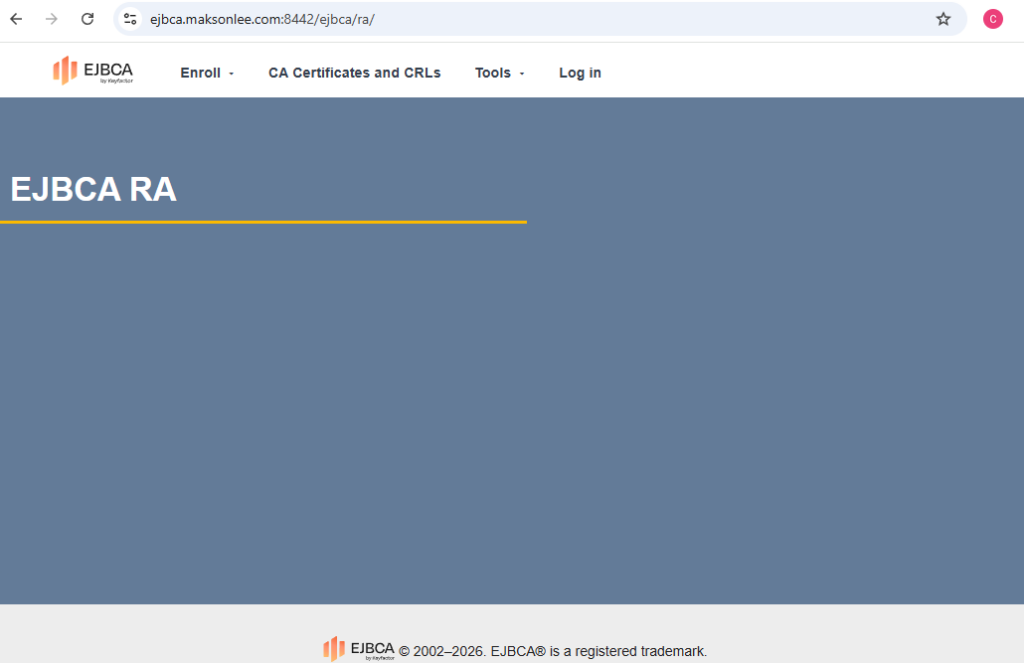
This endpoint uses the public HTTPS port (8442 / httpspub), which is configured for server authentication only, so browsers should not prompt for a client certificate.
- AdminWeb (private / client certificate required)
Open:
https://<hostname>:8443/ejbca/adminweb
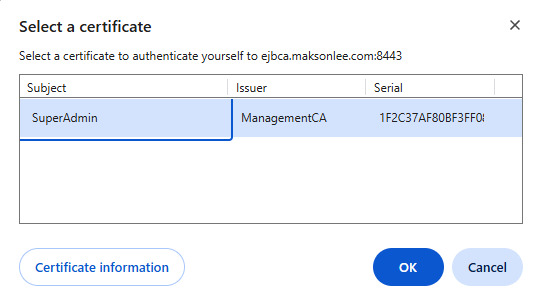
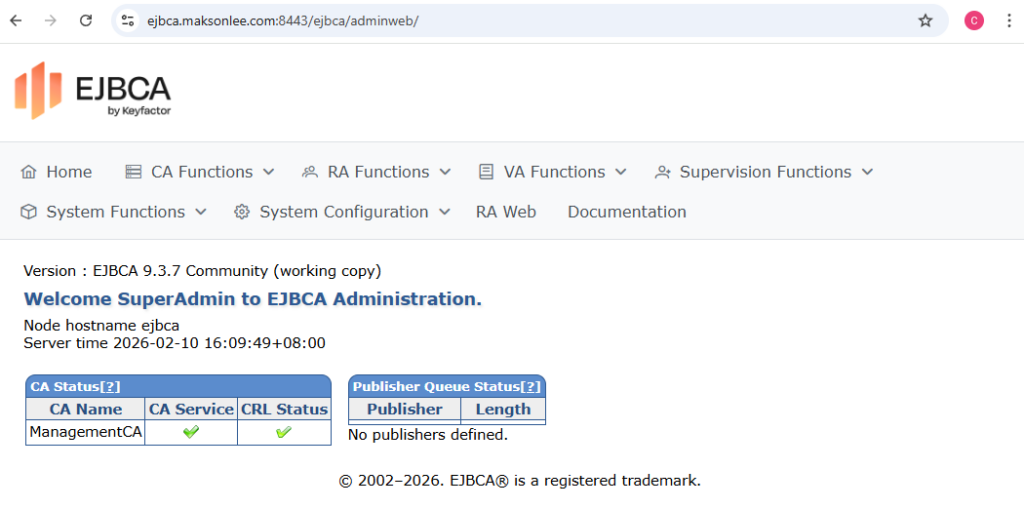
With the official 3-port separation, the private HTTPS port (8443 / httpspriv) is configured for mutual TLS (mTLS), so browsers will require a client certificate.
The initial SuperAdmin client certificate keystore is created during ant runinstall as:
<EJBCA_HOME>/p12/superadmin.p12
The password is superadmin.password in <EJBCA_HOME>/conf/web.properties (default: ejbca, unless you changed it).
Import superadmin.p12 into your browser/OS certificate store, then reload the AdminWeb URL.
15. Auto-renew Let’s Encrypt in WildFly
If WildFly serves the Let’s Encrypt certificate via keystore/keystore.p12, Certbot renewals will update fullchain.pem/privkey.pem but will not automatically rebuild WildFly’s PKCS#12 keystore. Add a deploy hook to rebuild keystore.p12 and restart WildFly only when ejbca.maksonlee.com is renewed.
- Create the deploy hook (Option A: global hook + lineage filter)
sudo tee /etc/letsencrypt/renewal-hooks/deploy/ejbca-wildfly-keystore.sh >/dev/null <<'EOF'
#!/usr/bin/env bash
set -euo pipefail
# Run only for this certificate lineage
EXPECTED="/etc/letsencrypt/live/ejbca.maksonlee.com"
if [[ "${RENEWED_LINEAGE:-}" != "${EXPECTED}" ]]; then
exit 0
fi
WILDFLY_KS="/opt/wildfly/standalone/configuration/keystore/keystore.p12"
TMP_P12="$(mktemp)"
# Must match what Elytron expects (stored in defaultCS as httpsKeystorePassword)
KS_PASS="serverpwd"
# Build a fresh PKCS#12 from the renewed LE cert
openssl pkcs12 -export \
-inkey "${RENEWED_LINEAGE}/privkey.pem" \
-in "${RENEWED_LINEAGE}/fullchain.pem" \
-name server \
-out "${TMP_P12}" \
-passout "pass:${KS_PASS}"
# Replace WildFly keystore + permissions
install -o wildfly -g wildfly -m 0640 "${TMP_P12}" "${WILDFLY_KS}"
rm -f "${TMP_P12}"
# Reload cert
systemctl restart wildfly
EOF
sudo chmod +x /etc/letsencrypt/renewal-hooks/deploy/ejbca-wildfly-keystore.sh- Test renewal (dry-run)
sudo certbot renew --dry-run- Verify 8442 presents the renewed certificate
echo | openssl s_client -connect 127.0.0.1:8442 -servername ejbca.maksonlee.com 2>/dev/null \
| openssl x509 -noout -subject -issuer