
This post shows how to trigger a Jenkins Pipeline build on every GitHub push when your Jenkinsfile is stored in a different repository.
My setup:
- Pipeline repo (Jenkinsfile / pipeline code):
https://github.com/maksonlee/jenkins-pipelines - Source repo to build:
https://github.com/maksonlee/beepbeep - Jenkins job type: Pipeline → Pipeline script from SCM
- Trigger:
githubPush()in the Jenkinsfile - Webhook: manual webhook on the source repo only
- Builds may run on different agents/containers, so host key verification must be centralized
Understand the split-repo model
In this design, there are two GitHub repositories:
- Pipeline repo (
jenkins-pipelines)
Stores Jenkinsfiles, shared pipeline logic, and reusable CI code. - Source repo (
beepbeep)
Stores the application source code only.
The Jenkins job loads its Jenkinsfile from jenkins-pipelines, then checks out and builds beepbeep during the pipeline run.
This keeps application repositories clean and makes pipeline logic reusable across multiple projects.
Decide why you should not use auto-managed GitHub webhooks
Jenkins can auto-manage GitHub webhooks if you configure a GitHub “server” (OAuth/PAT) and enable automatic hook management.
That can be convenient when Jenkinsfile and source code are in the same repo.
But in the split-repo design:
- Your Jenkins job SCM points to
jenkins-pipelines - Your pipeline checks out
beepbeep
If Jenkins is allowed to manage webhooks automatically, it may create webhooks for both repositories:
- webhook on
jenkins-pipelines→ pipeline repo changes can trigger builds (noise) - webhook on
beepbeep→ source changes trigger builds (desired)
I want one clean signal:
Only pushes to the source repo (beepbeep) should trigger builds.
So I intentionally do manual webhook creation on beepbeep only, and I avoid Jenkins auto-webhook management.
1. Create the Jenkins Pipeline job
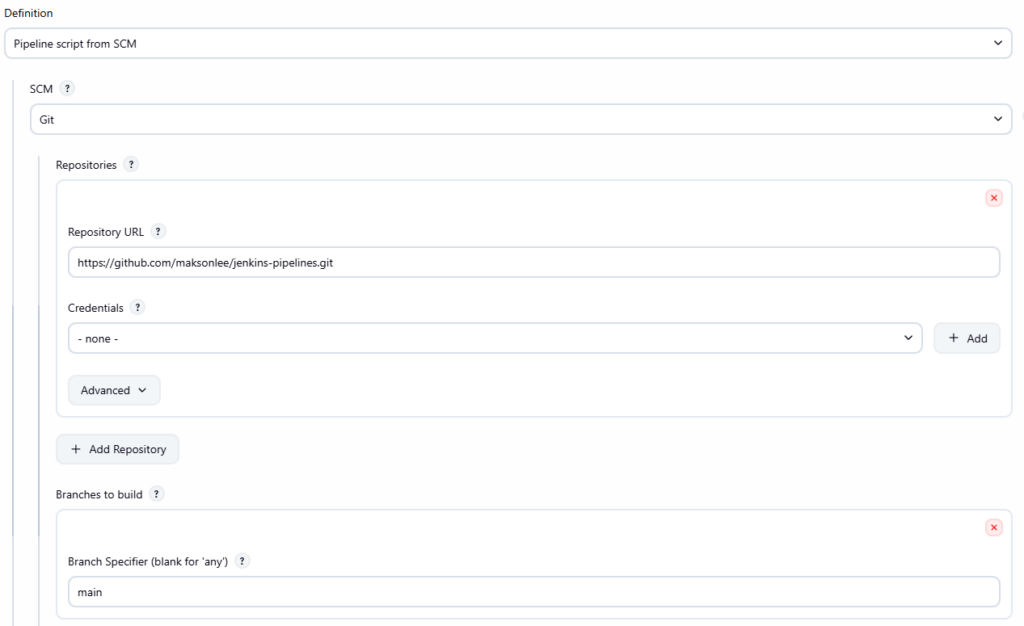
Create a Jenkins Pipeline job:
- Definition: Pipeline script from SCM
- SCM: Git
- Repository URL:
https://github.com/maksonlee/jenkins-pipelines.git - Branch:
main - Script Path: your Jenkinsfile path inside that repo (example:
Jenkinsfile)
This job loads its pipeline definition from the pipeline repo.
2. Enable GitHub push triggering in the Jenkinsfile
In your Jenkinsfile, enable the trigger:
triggers {
  githubPush()
}That’s all you need on the Pipeline side.
Important: run the job once after adding githubPush()
In this split-repo design, Jenkins may need one successful run to “learn” the SCM state and make webhook-triggered polling behave consistently.
So after you add the trigger (or after creating the job), run the job once manually before you rely on the webhook.
3. Ensure the Jenkinsfile checks out the source repo
Your Jenkinsfile is stored in jenkins-pipelines, but it checks out beepbeep during the build.
Here is your example Jenkinsfile:
@Library('jenkins-shared-lib') _
pipeline {
agent { label 'ssh-agent-with-docker' }
triggers {
  githubPush()
}
stages {
stage('Fetch code') {
steps {
deleteDir()
git credentialsId: 'vault-github-ssh', url: 'git@github.com:maksonlee/beepbeep.git'
}
}
stage('Build & Sign (AAB)') {
steps {
script {
gradleRelease(':app:bundleRelease', [
image : 'cdlee/android-build-env:latest',
keystoreVaultPath: 'secret/jenkins/mobile/app/com.maksonlee.beepbeep',
jksPath : '/tmp/beepbeep-upload.jks'
])
stash name: 'aab',
includes: 'app/build/outputs/bundle/release/*.aab, app/build/outputs/mapping/release/**'
}
}
}
}
post {
always {
cleanWs(deleteDirs: true, notFailBuild: true)
}
}
}4. Create the GitHub webhook on the source repo only
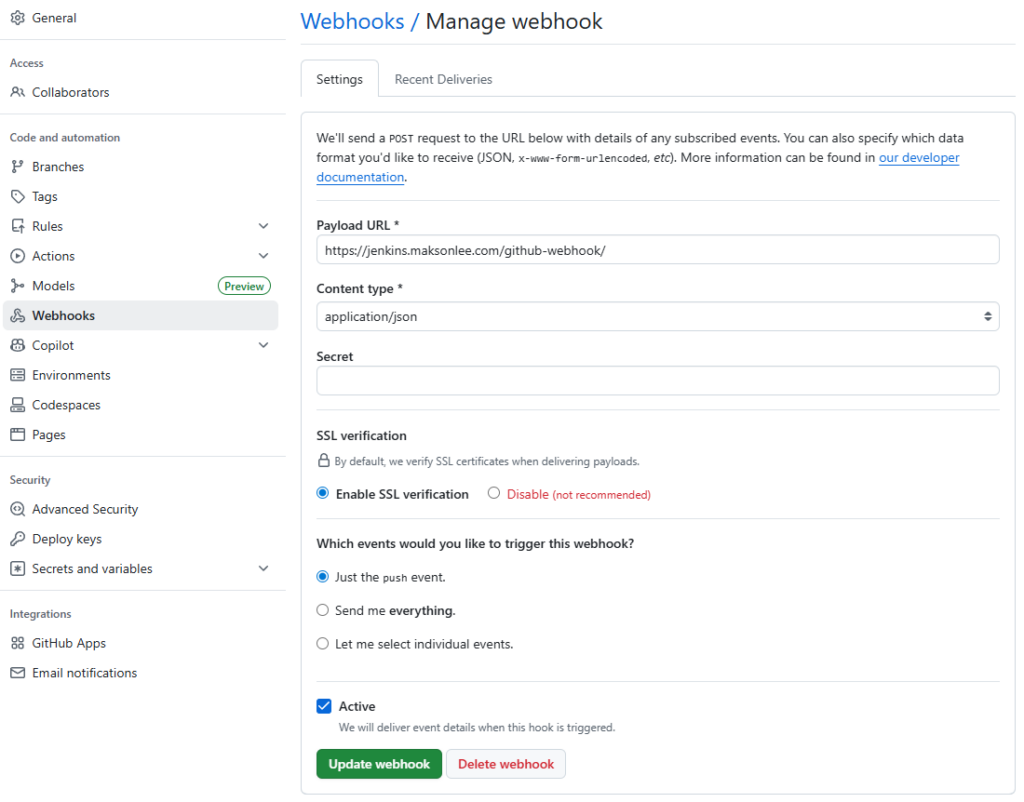
On GitHub:
maksonlee/beepbeep → Settings → Webhooks → Add webhook
- Payload URL:
https://jenkins.maksonlee.com/github-webhook/ - Content type:
application/json - Which events: Just the push event
Do not create a webhook on maksonlee/jenkins-pipelines.
5. Fix SSH host key verification centrally
If you use SSH (git@github.com:...), polling can fail with:
No ED25519 host key is known for github.comHost key verification failed
In production, builds may run on different agents/containers, so you should not rely on per-node ~/.ssh/known_hosts.
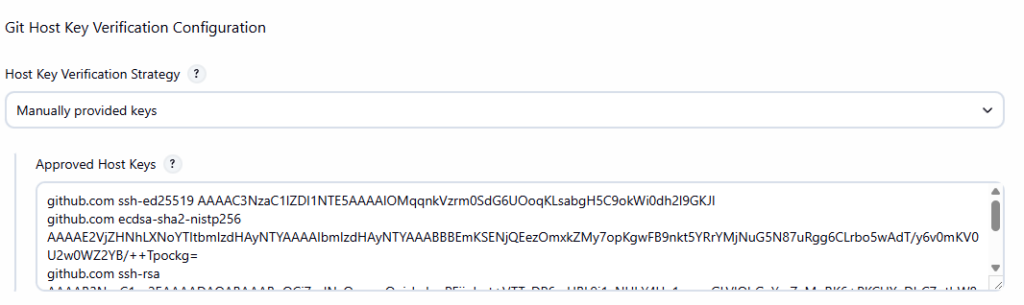
Instead, configure host key verification centrally in Jenkins:
- Go to Manage Jenkins → Security → Git Host Key Verification Configuration
- Set Host Key Verification Strategy to Manually provided keys
- Paste GitHub host keys into Approved Host Keys (known_hosts format)
Generate keys on a trusted machine:
ssh-keyscan -t ed25519 github.com
ssh-keyscan -t ecdsa github.com
ssh-keyscan -t rsa github.comPaste the output into Approved Host Keys, then Save.
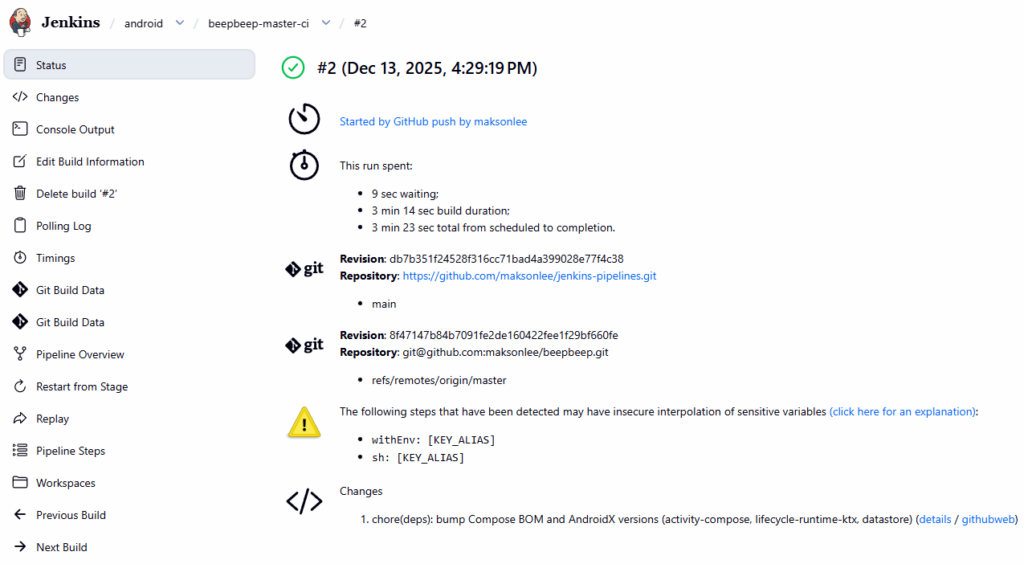
6. Verify the end-to-end flow
- Run the job once manually (bootstrap)
- Push a commit to
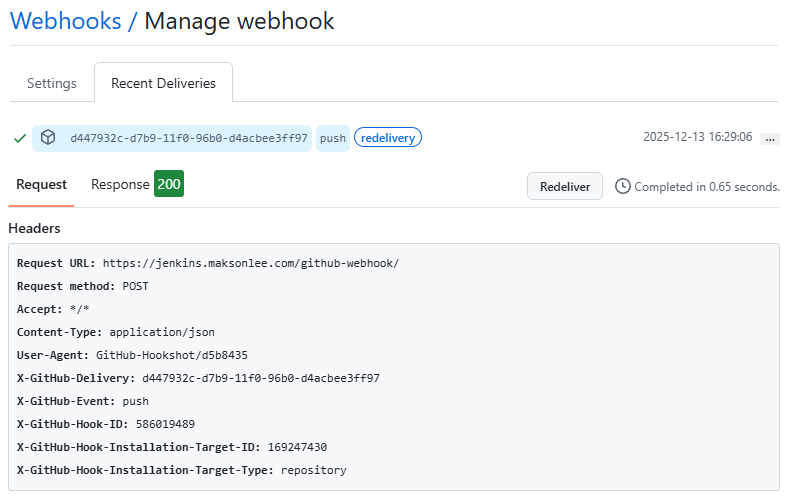
maksonlee/beepbeep - GitHub webhook “Recent deliveries” shows HTTP 2xx
- Jenkins schedules a build shortly after
If Jenkins shows “Started by event …” but ends with “No changes”, check the polling log for errors (host key verification is the most common one).
7. Summary
To trigger Jenkins builds on GitHub push when your Jenkinsfile is stored in a different repository:
- Keep Jenkinsfile/pipelines in
maksonlee/jenkins-pipelines - Create a Pipeline job that loads Jenkinsfile from that repo
- Use
githubPush()in the Jenkinsfile - Checkout/build
maksonlee/beepbeepinside the pipeline - Create a manual webhook on
beepbeeponly - Centralize GitHub SSH host keys in Jenkins (no per-agent setup)
- Run the job once manually to bootstrap the configuration