
Category
Android & Mobile Development
TL;DR
- Solo/private project → Use Android Studio UI and write values directly into
app/build.gradle.kts. - Team/open source/CI → Keep secrets out of git; load from a
keystore.propertiesfile.
- Solo development (private repo)
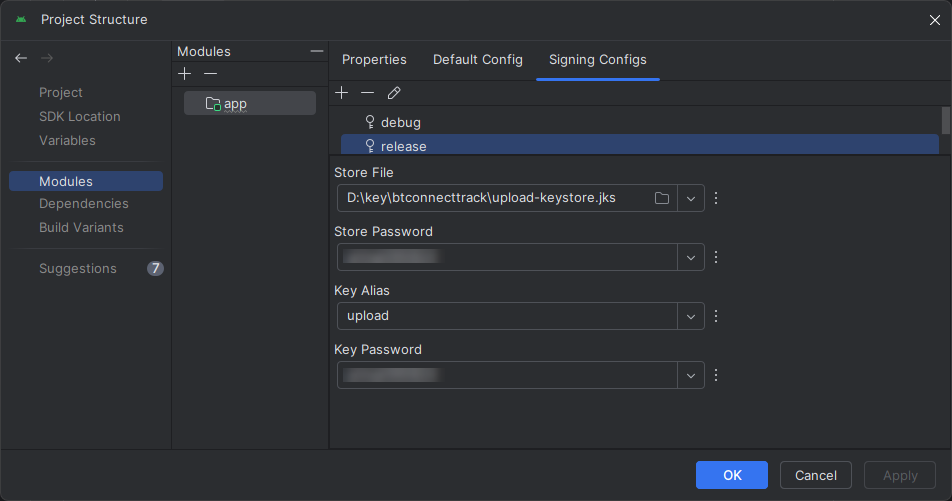
- Create a Release signing config (UI)
File → Project Structure → Modules → Signing Configs → + → release- Store File:
D:/key/btconnecttrack/upload-keystore.jks - Store Password:
****** - Key Alias:
upload - Key Password:
******
- Store File:
- Bind it to the
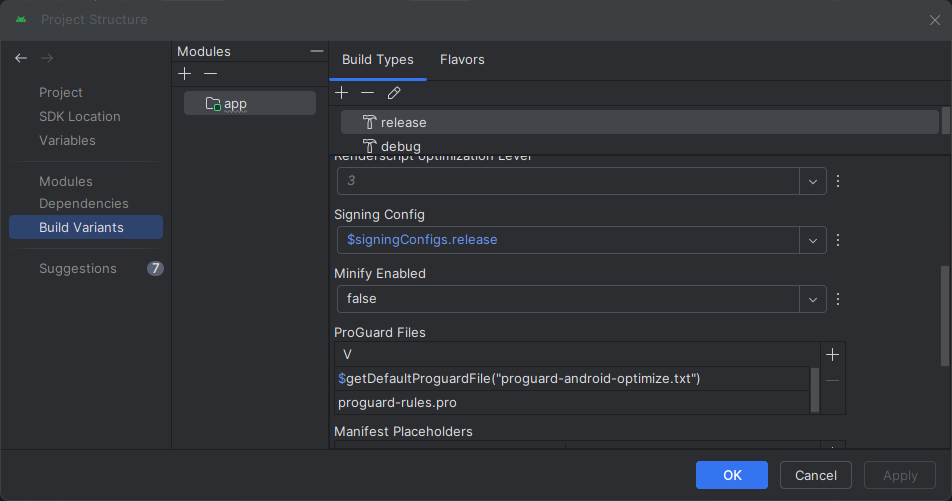
releasebuild type
Project Structure → Build Types → release → Signing Config =$signingConfigs.release
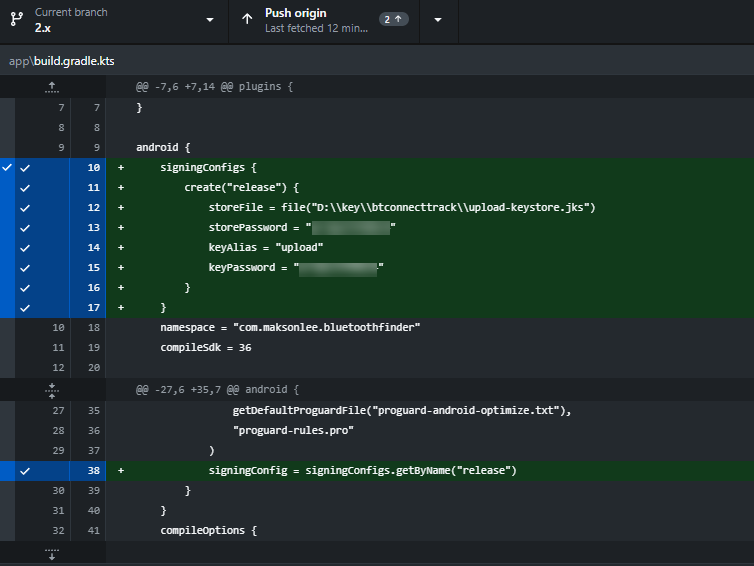
- Studio writes the Gradle snippet (minimal)
android {
    signingConfigs {
        create("release") {
            storeFile = file("D:/key/btconnecttrack/upload-keystore.jks")
            storePassword = "******"
            keyAlias = "upload"
            keyPassword = "******"
        }
    }
    buildTypes {
        release { signingConfig = signingConfigs.getByName("release") }
    }
}Your diff will look like this:
Build
./gradlew :app:assembleRelease- Team or open-source (recommended)
Keep secrets out of version control by loading them from keystore.properties.
keystore.properties (do not commit)
storeFile=D:/key/btconnecttrack/upload-keystore.jks
storePassword=******
keyAlias=upload
keyPassword=******app/build.gradle.kts (signing only)
import java.util.Properties
import java.io.FileInputStream

val keystoreProperties = Properties().apply {
    load(FileInputStream(rootProject.file("keystore.properties")))
}

android {
    signingConfigs {
        create("release") {
            keyAlias = keystoreProperties["keyAlias"] as String
            keyPassword = keystoreProperties["keyPassword"] as String
            storeFile = file(keystoreProperties["storeFile"] as String)
            storePassword = keystoreProperties["storePassword"] as String
        }
    }
    buildTypes { release { signingConfig = signingConfigs.getByName("release") } }
}Verify your signing (single method)
./gradlew :app:signingReportCheck the release variant’s keystore path and SHA-1/SHA-256 fingerprints.
Did this guide save you time?
Support this site