
Category
Android & Mobile Development
1. Create an AWS CodeBuild Project
Go to AWS Console → CodeBuild.
Click Create project.
Fill in the Project Name (e.g., android-sample-build).
In Source:
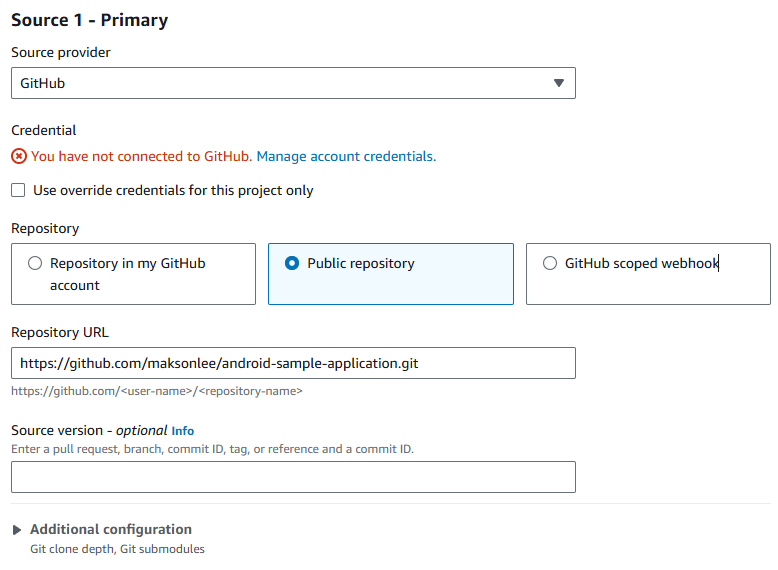
2. Configure Environment
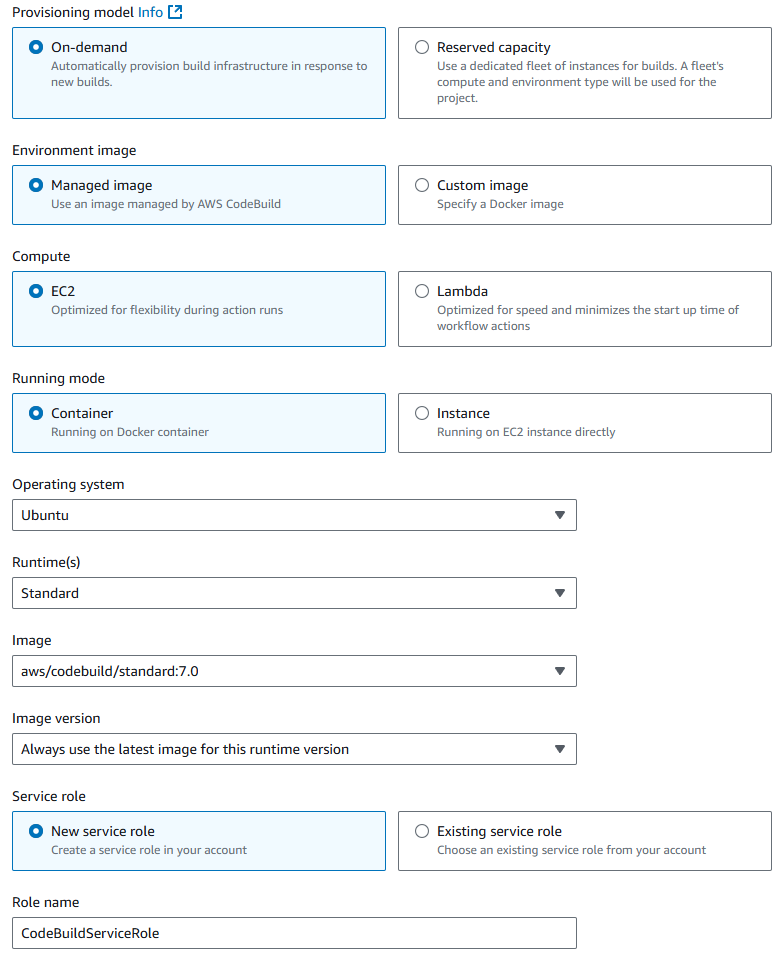
3. Create and Add buildspec.yml
Inside your project repository (root directory), create a file named buildspec.yml with the following content:
version: 0.2

phases:
  install:
    runtime-versions:
      java: corretto17
    commands:
      - echo "Installing dependencies..."
      - apt-get update && apt-get install -y wget unzip
      - wget https://dl.google.com/android/repository/commandlinetools-linux-9477386_latest.zip -O cmdline-tools.zip
      - export ANDROID_HOME=$HOME/Android/Sdk
      - mkdir -p $ANDROID_HOME/cmdline-tools && unzip cmdline-tools.zip -d $ANDROID_HOME/cmdline-tools
      - mv $ANDROID_HOME/cmdline-tools/cmdline-tools $ANDROID_HOME/cmdline-tools/latest
      - yes | $ANDROID_HOME/cmdline-tools/latest/bin/sdkmanager --licenses

  pre_build:
    commands:
      - echo "Setting up environment..."
      - chmod +x gradlew
      - ./gradlew dependencies

  build:
    commands:
      - echo "Building APK..."
      - ./gradlew assembleRelease

  post_build:
    commands:
- echo "Build completed successfully!"4. Configure Logs
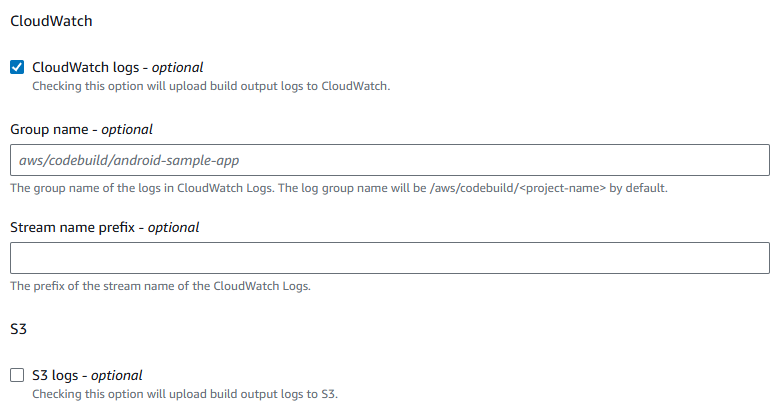
5. Start the Build in AWS CodeBuild
In AWS CodeBuild, go to your android-sample-build project.
Click Start build.
Monitor the Build logs to check for errors or warnings.